Hotwords
See also: AutoLinks
Hotwords is a feature that allows the admin to make some words in wiki pages appear automatically as links. When enabled as a feature, hotwords can be administered from the Hotwords administration screen:
- Enable via Admin → Text Area
- Use via Admin → Hotwords (direct link : tiki-admin_hotwords.php)
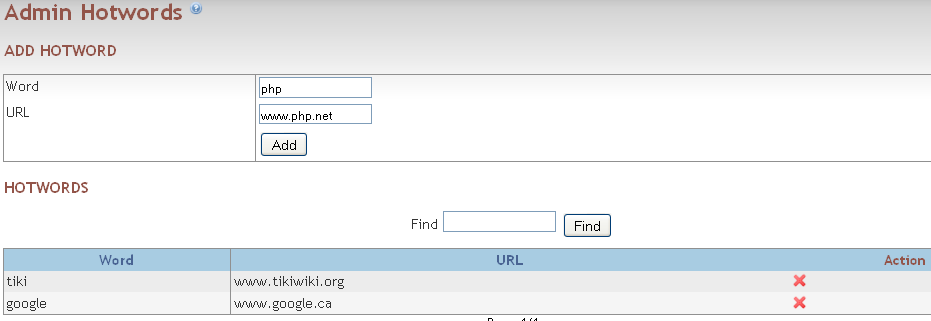
Using this screen is simple: just add the word-link pairs as needed, remove them if you want, etc. The replacement will be case-insensitive - e.g. if you add 'PHP' you don't need to add 'php' as well. If you have a problem or don't want this feature, just disable it from the main admin screen.
Cancel Hotword
In order to cancel the use of a Hotword for a given section in a wiki document, it is possible to use non parsed tags so it can be temporarily ignored.
~np~ Hotword ~/np~