Plugin Security
By default, Wiki Syntax is designed to be safer than HTML. If we let users just use any HTML & JavaScript, some could do nasty things like XSS.
Thus, when a plugin is potentially insecure, it must be approved by someone with appropriate permissions.
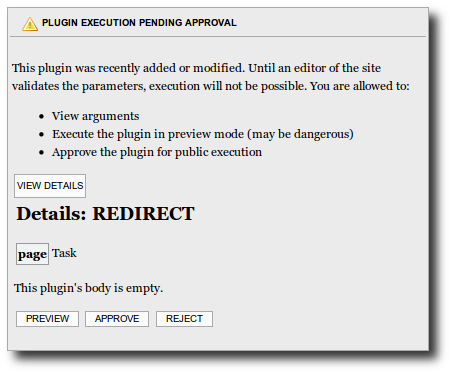
The permissions involved are:
| Permission | Description |
| tiki_p_plugin_approve | Can approve plugin execution |
| tiki_p_plugin_preview | Can execute unapproved plugin |
| tiki_p_plugin_viewdetail | Can view unapproved plugin details |
Plugin Approval
See Plugin Approval
Plugin Management
Plugins can be enabled or disabled on a site wide basis by an admin. So if you don't need it, turn it off.
How to deactivate
This is not recommended, but you can do in a testing context, where all users are trusted. You need access to files on the serverYou can use SSH, an FTP client or if you are using Virtualmin: https://www.virtualmin.com/documentation/tutorial/how-to-use-the-file-manager/. For security reasons, there is no way to do via the web interface.
- Find the file for the relevant Wiki Plugin. Ex.: lib/wiki-plugins/wikiplugin_html.php
- Replace
'validate' => 'all',
by
'validate' => 'none',
The next time you upgrade Tiki, you will need to do this again (because you will get standard Tiki file again). Unless you use Tiki Manager or you get source code from https://gitlab.com/tikiwiki/tiki where you local changes can be maintained.