Dynamic Content System
The Dynamic Content System (DCS) allows you to edit blocks of HTML code or text from an admin screen and display the block in any Tiki template or user module. Updating the block content will update the template. You can also create block content by date, storing several blocks to be displayed at future dates. This simple system adds a lot of flexibility to Tiki; you can display anything you like anywhere in the screen and you can set up areas that can be changed or that change automatically according to time.
The DCS can be used, for example:
- To display a quote in the top bar or a user module
- To display news in a user module
- To announce products, chats, news at a specific time
- To announce an event
- To display sport results or sports information
- to add customized Google maps to your Wiki pages
- Anything!
{content id=n label=text}
Will be replaced by the actual value of the dynamic content block with id=n
Dynamic Content, which displays pre-created content where the DSC tag is placed in template files and/or modules, is not the same as Dynamic Variable, which is an edit-in-place feature for use in wiki pages.
To use:
Example
At TikiFestPorto you can see it live, where the image is shown in the wiki page, as dynamic content: it's not just a screenshot, but a zoomable google map showing some locations that you added their aplication:
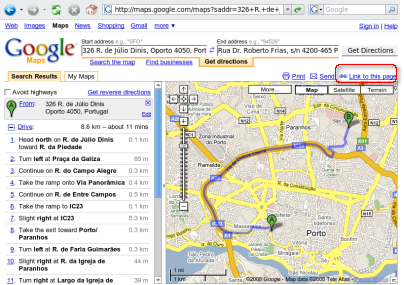
Original dynamic content
| => |
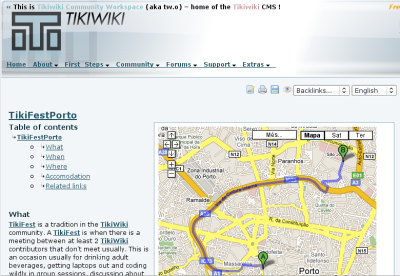
Embedded external dynamic content inside a Wiki page
|
Dynamic Content Admin explains the step to produce it.
- Dynamic Content Admin How to activate and program DCS blocks.