Plugin Help
Introduced in Tiki3, this permits to fill out a form to build or edit a plugin. Thus, no need to remember or look up the syntax.
When you are editing a wiki page or any other textarea in the website, you can click on the icon to open the help popup box (1). Then you can click at the tab to show the plugin help (2), and filter the list of plugins for some keyword ("video" in the example) (3).
Once you click in the icon of the specific plugin (4, in the image above) , a new popup box replaces the previous one, showing the specific parameters for that plugin, and you can optionally also display the params hidden by default under the "Advanced options" section through clicking at the corresponding button with that name:
And when you click at insert, the code is inserted in the wiki page:
{vimeo url="http://vimeo.com/3319966" width="640" height="480"}
Wiki Help revamped
The Wiki Help has been revamped so that it is offered on the side as a red balloon with a lens on top. When you click on it, it allows you to select the Wiki help or Plugin help, once you click on any of the green + signs on their left.
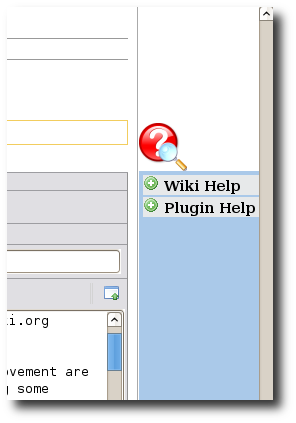
For instance, if you click on the  icon next to Plugin Help, you'll be shown the new edit help, where you can scroll on the side independently of the scroll of the wiki page, and click on the "Insert" link next to any plugin title.
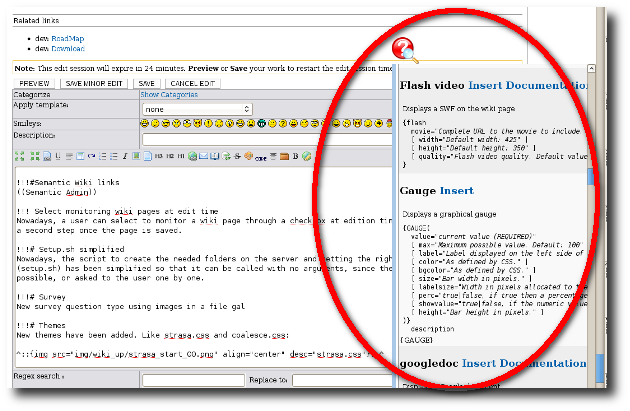
Descriptions and possible parameters for plugins are shown in a clearer way.
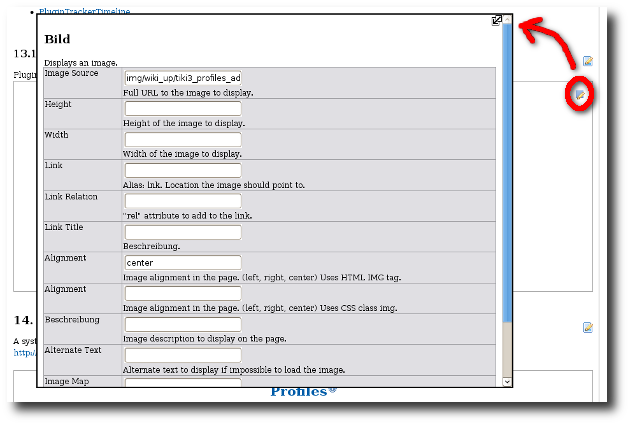
Later on, once saved, those plugin call can be edited in a quicker and more user friendly way, through the new plugin edit feature: