Plugin Versions
Use this Wiki Plugin to divide a wiki page into separate "versions." Tiki will display a navigation box that allows users to display each version of the page. For example, you can use this plugin to separate a single wiki page into Release 1, Release 2, and Release 3 information.
Parameters
Create tabs for showing alternate versions of contentIntroduced in Tiki 1.
Go to the source code
Preferences required: wikiplugin_versions
| Parameters | Accepted Values | Description | Default | Since |
|---|---|---|---|---|
| (body of plugin) | Block of text separated by |
|||
default |
Specifies version label to show when displaying the page for the first time. Default label is 'Default' | Default | 1 | |
nav |
(blank) y n |
Display a navigation box that allows users to select a specific version to display. | n | 1 |
title |
(blank) y n |
Display the current version name as the title. No title shows when nav="y";
otherwise shows by default. |
y | 1 |
Notes
- If you use Wiki Config wiki page caching, this plugin may not render properly.
- The "versions" used for this plugin are different than the "versions" stored in the wiki page history.
Examples
To separate different versions of text use: 3 dashes (hyphens), followed by the version label in parenthesis, followed by at least 3 other dashes or hyphens. For example:
Basic example
This code:
{VERSIONS(nav="y" title="y")}
This is the default text
---(version 3)-----------------------------
This is version 3 info
---(version 2)-----------------------------
This is version 2 info
---(version 1)-----------------------------
This is version 1 info
{VERSIONS}
Would produce:
This is the default text
More Examples
This code:
{VERSIONS(nav="n")}
This is the default text
---(version 3)-----------------------------
This is version 3 info
---(version 2)-----------------------------
This is version 2 info
---(version 1)-----------------------------
This is version 1 info
{VERSIONS}
Would produce:
Default
This is the default text
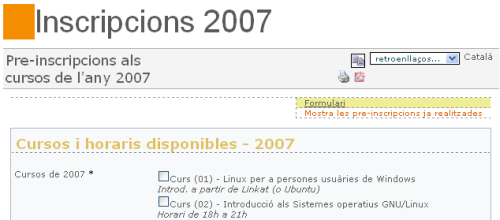
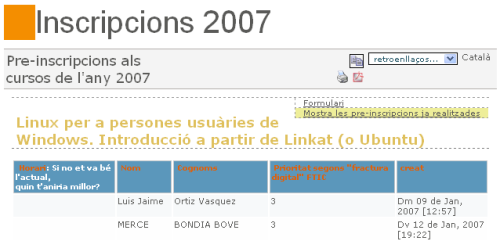
Sample usage in conjunction with PluginTracker and PluginTrackerList (these are Screenshots):