Plugin Versions | |
|
Use this Wiki Plugin to divide a wiki page into separate "versions." Tiki will display a navigation box that allows users to display each version of the page. For example, you can use this plugin to separate a single wiki page into Release 1, Release 2, and Release 3 information. | |
Parameters | |||||||||||||||||||||||||
|
Create tabs for showing alternate versions of content Introduced in Tiki 1. Go to the source code Preferences required: wikiplugin_versions
| |||||||||||||||||||||||||
Notes | |
| |
Examples | |
|
To separate different versions of text use: 3 dashes (hyphens), followed by the version label in parenthesis, followed by at least 3 other dashes or hyphens. For example: ---(version 3)-----------------------------
| |
Basic example | |
|
This code: {VERSIONS(nav="y" title="y")} This is the default text ---(version 3)----------------------------- This is version 3 info ---(version 2)----------------------------- This is version 2 info ---(version 1)----------------------------- This is version 1 info {VERSIONS}
This is the default text | |
More Examples | |
|
This code: Copy to clipboard
Default
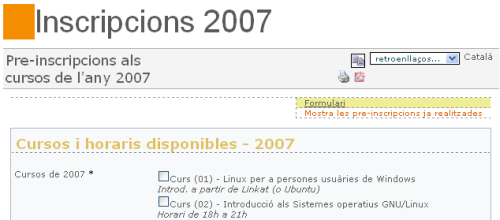
Default text: Formulari, using PluginTracker
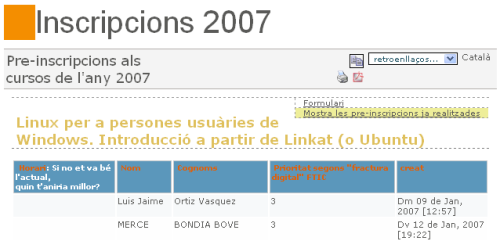
Alternate version: Mostra les pre-inscripcions ja realitzades, , using PluginTrackerList
| |
Alias | |