Polls Admin | |
|
| |

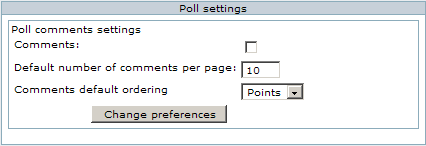
Configure Polls | |
|
| |
Creating/editing polls | |
|
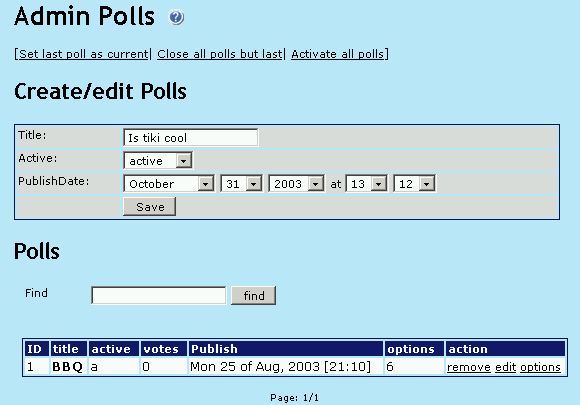
In this screen you can edit/create new polls and remove existing polls, to create a poll you have to indicate the title the type of polls and the publishDate, the type can be:
The publishDate is used to control when the poll will be enabled, you can program polls for the future if you want. A poll can t be viewed/voted/anything until the current date is greater on equal than then poll publishingDate. Some special links are also provided:
If you click activate all polls and set last poll as current you will have all polls active and the last one being the current poll. If you click close all polls but last and set last poll as current you will have all polls closed and the last one being the current one (only the current poll can be voted in this scheme) To edit the options in a poll clikc in the options link from the poll listing: insert graphic In this screen you will see a preview of the poll, a form to edit/add an option to a poll and the list of options, you can edit options, remove options and add options to a poll as you want. | |
Using polls | |
user modules | |
|
Once created the form to vote a poll can be displayed using user modules, the syntax to include a poll can be: {poll} This will display a random poll from the list of polls with type = current and that have been published. {poll id=n} This can be used to dsiplay any active or current poll indicating the id of the poll to displayed. | |
in wiki pages | |
|
You can also activate Rating in the wiki admin panel and choose a poll at edit time. Note: for version 2.2 (and possibly others) a poll template selected in the Wiki edit screen will only be saved to the database if the Categories feature is enabled. This page needs: Description of whether it's possible to see which user voted for what option. Had a user sign up multiple accounts to cheat on a poll, and would like to remove his votes from the results. | |