Plugin Security | ||||||||
|
Thus, when a plugin is potentially insecure, it must be approved by someone with appropriate permissions. 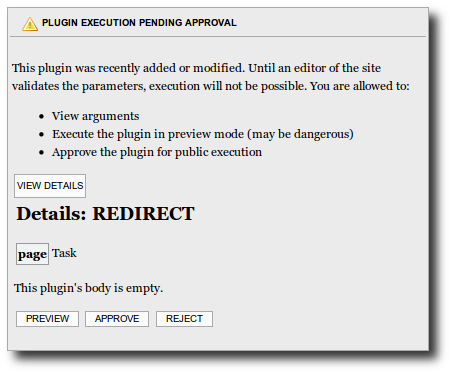
| ||||||||
Plugin Approval | |
|
| |
Plugin Management | |
|
Plugins can be enabled or disabled on a site wide basis by an admin. So if you don't need it, turn it off. | |
How to deactivate | |
|
This is not recommended, but you can do in a testing context, where all users are trusted. You need access to files on the server. For security reasons, there is no way to do via the web interface.
Copy to clipboard
by Copy to clipboard
The next time you upgrade Tiki, you will need to do this again (because you will get standard Tiki file again). Unless you use Tiki Manager or you get source code from https://gitlab.com/tikiwiki/tiki where your local changes can be maintained. | |
Alias | |