Surveys Admin | |
|
| |
Create a Surveys | |
|
| |
Goto the Admin Surveys page | |
|
If you have the appropriate permission, you can create a surveys by clicking the Admin surveys link in the Surveys section of the application menu. 
The following form is used to create a survey: 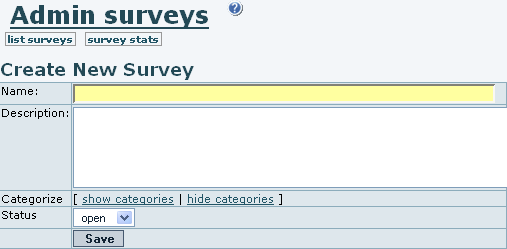
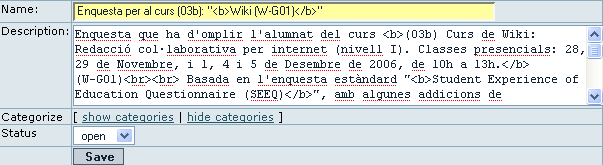

If the survey status is closed ( | |
 ) to add questions to a survey.
 ) then users won't be able to take the survey. Leave the status field as "open" (
 ) when you are ready to allow your users to fill the survey, and you can set it to close after a certain period of time.
Survey questions | |
|
Once you click on the question link ( 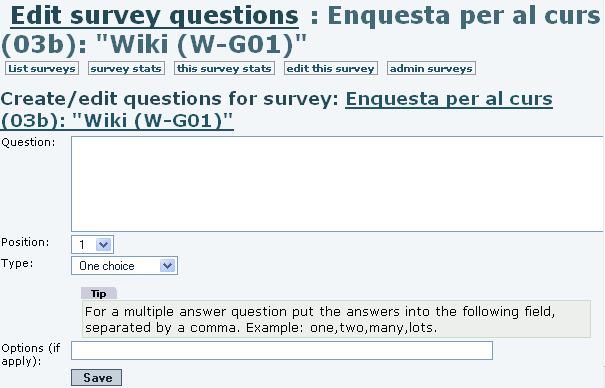
Select the question type and enter the question text. If the question has options, such as with single or multiple choice questions, enter the options separated by commas. The options will appear as possible answers to the questions. When some questions are inserted, you can see them listed below at the same page of administration of questions (tiki-admin_survey_questions.php): 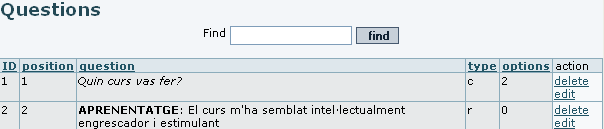
| |
Short text questions | |
|
| |
Single choice questions | |
|
| |
Multiple choice questions | |
|
| |
Rate 1..5 questions | |
|
| |
Rate 1..10 questions | |
|
| |