This page is obsolete. This feature has been discontinued.
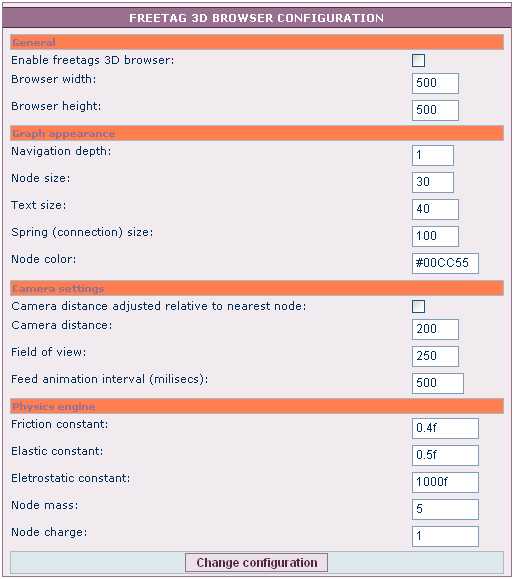
3d Tag Browser Configuration tab
Related Topics
- Overview
- This tab supports administration of the 3D browser, a Tiki add-in which supports 3D modelling of Freetags (and also can be used for 3D browsing of Wiki page inter-links.
- To Access
- From the Tags page, click the 3d Tag Browser Configuration tab.
3d Tag Browser Configuration tab
| Setting | Description | Default |
|---|---|---|
| 3D Tag Browser Configuration | ||
| Setting: | Description | default value |
Freetag 3D Browser Configuration
There is an admin screen, which currently only accepts configuration of the morcego browser for browsing the freetags.
To use the morcego 3D-Network-Browser, you'll have to activate the features:
Perms
- tiki_p_view_freetags: to view tags
- tiki_p_freetags_tag: to add tags
;)